Send timely customer updates
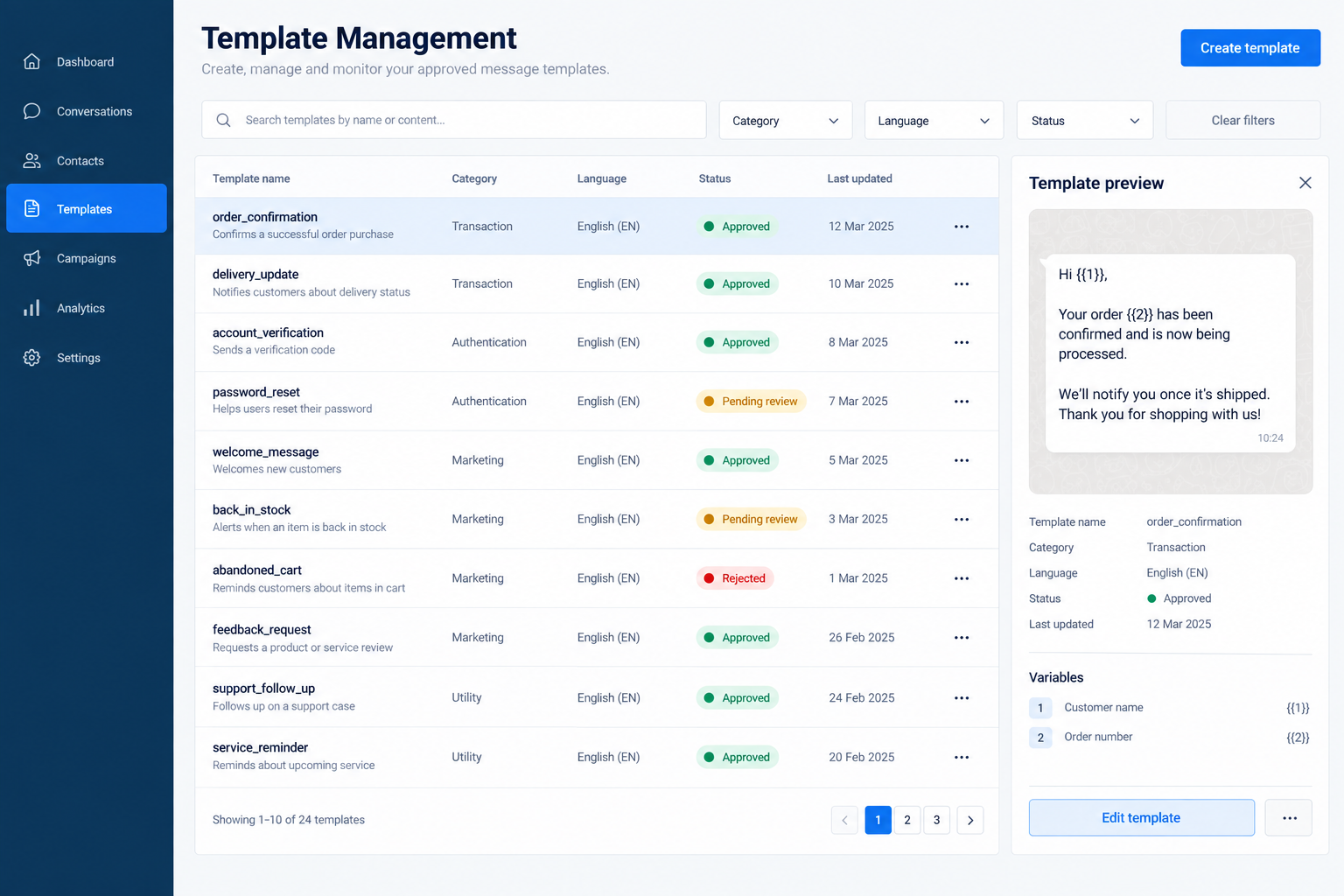
Share confirmations, reminders, receipts, renewals and important service updates through approved WhatsApp templates.
WhatsApp operations for growing businesses
Onto Connect helps your team manage approved messages, reminders, campaigns, follow-ups and delivery tracking from one organised workspace.
Built for businesses that need reliable customer communication without managing every update manually.
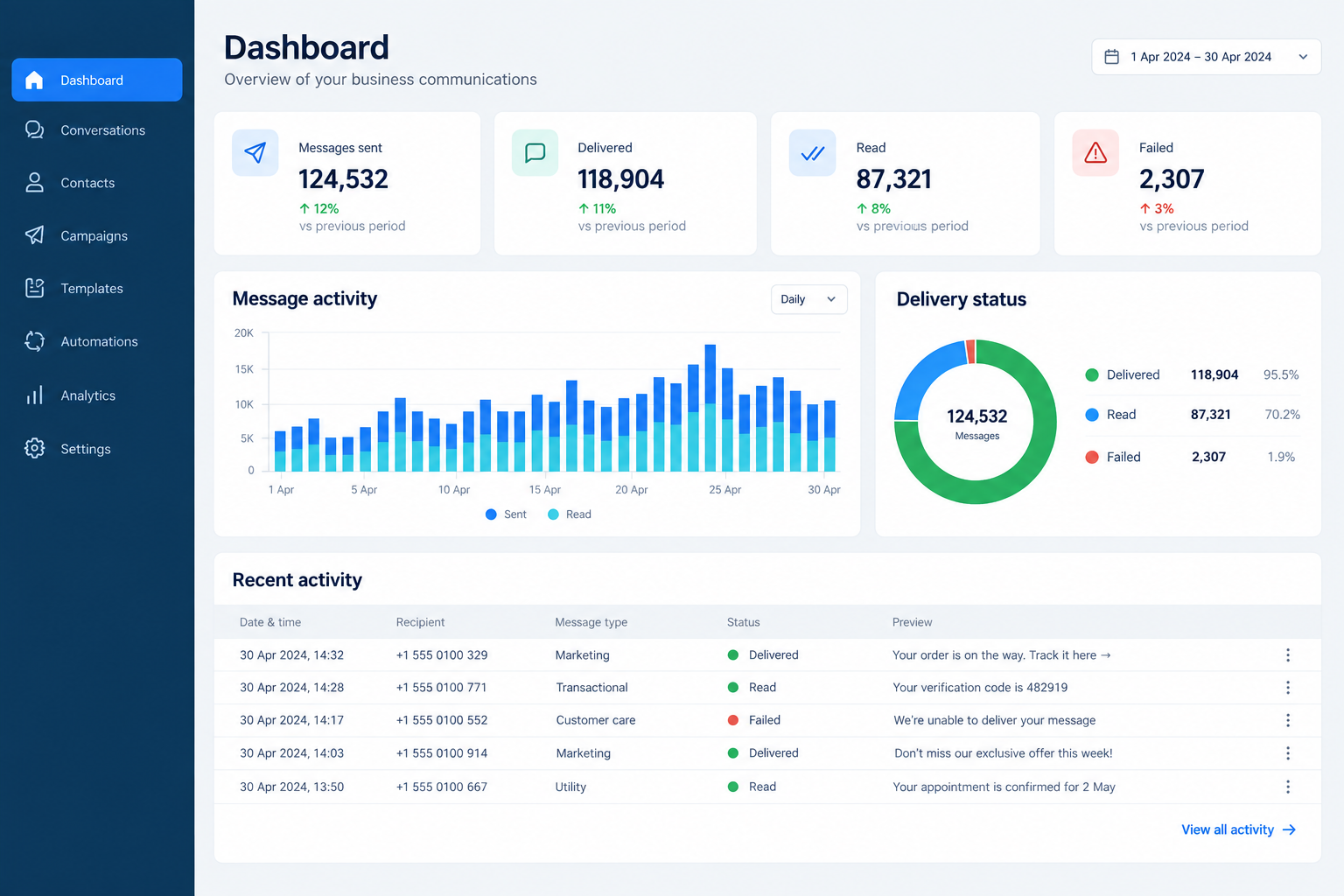
What Onto Connect helps your business manage
Your customers already use WhatsApp. Onto Connect helps your business use it with better control, from routine updates and reminders to campaigns, tracking and operational follow-ups.
Share confirmations, reminders, receipts, renewals and important service updates through approved WhatsApp templates.
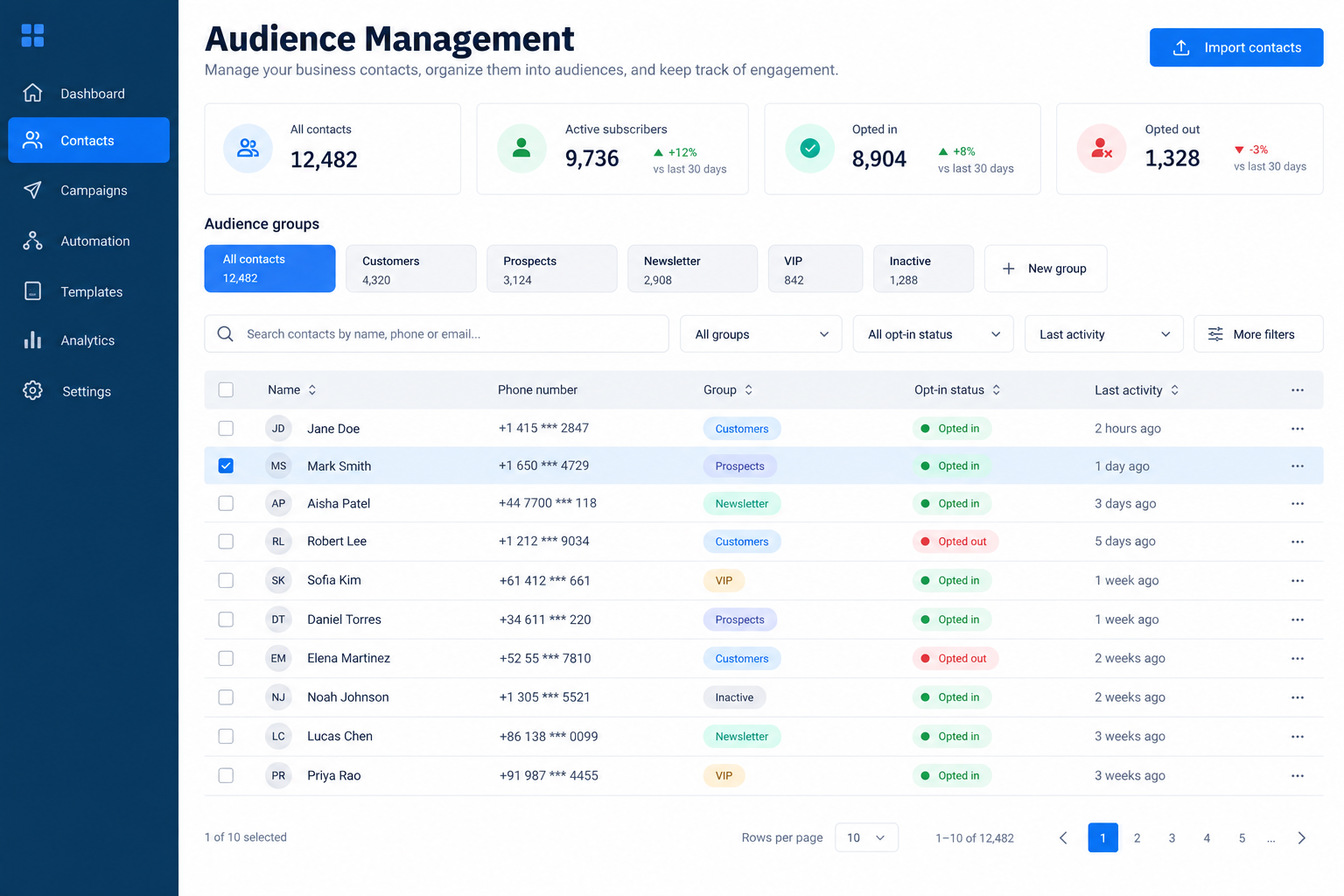
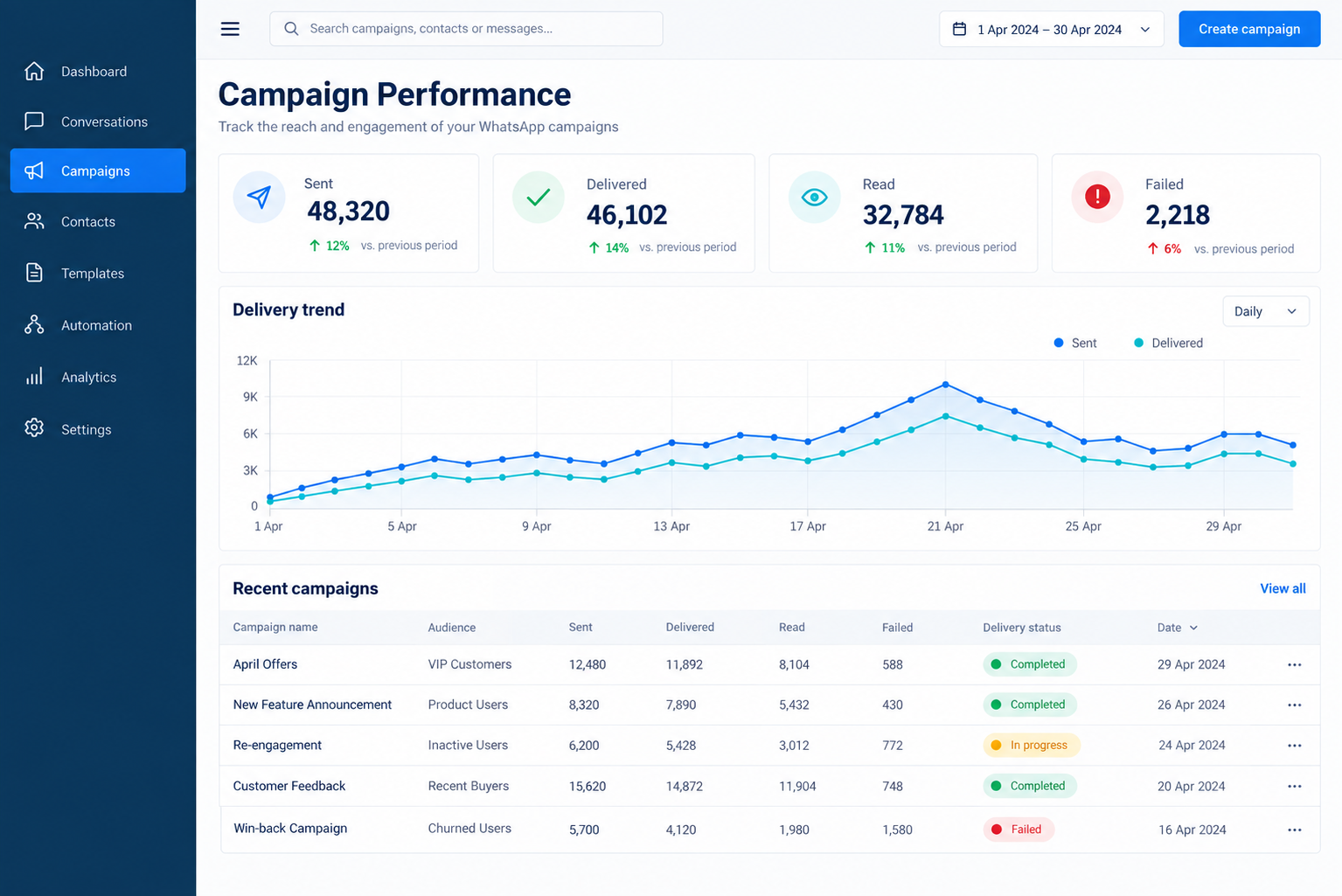
Select the right audience, schedule messages and keep communication activity visible to your team.
Connect recurring communication workflows to your business process so your team spends less time repeating the same tasks.
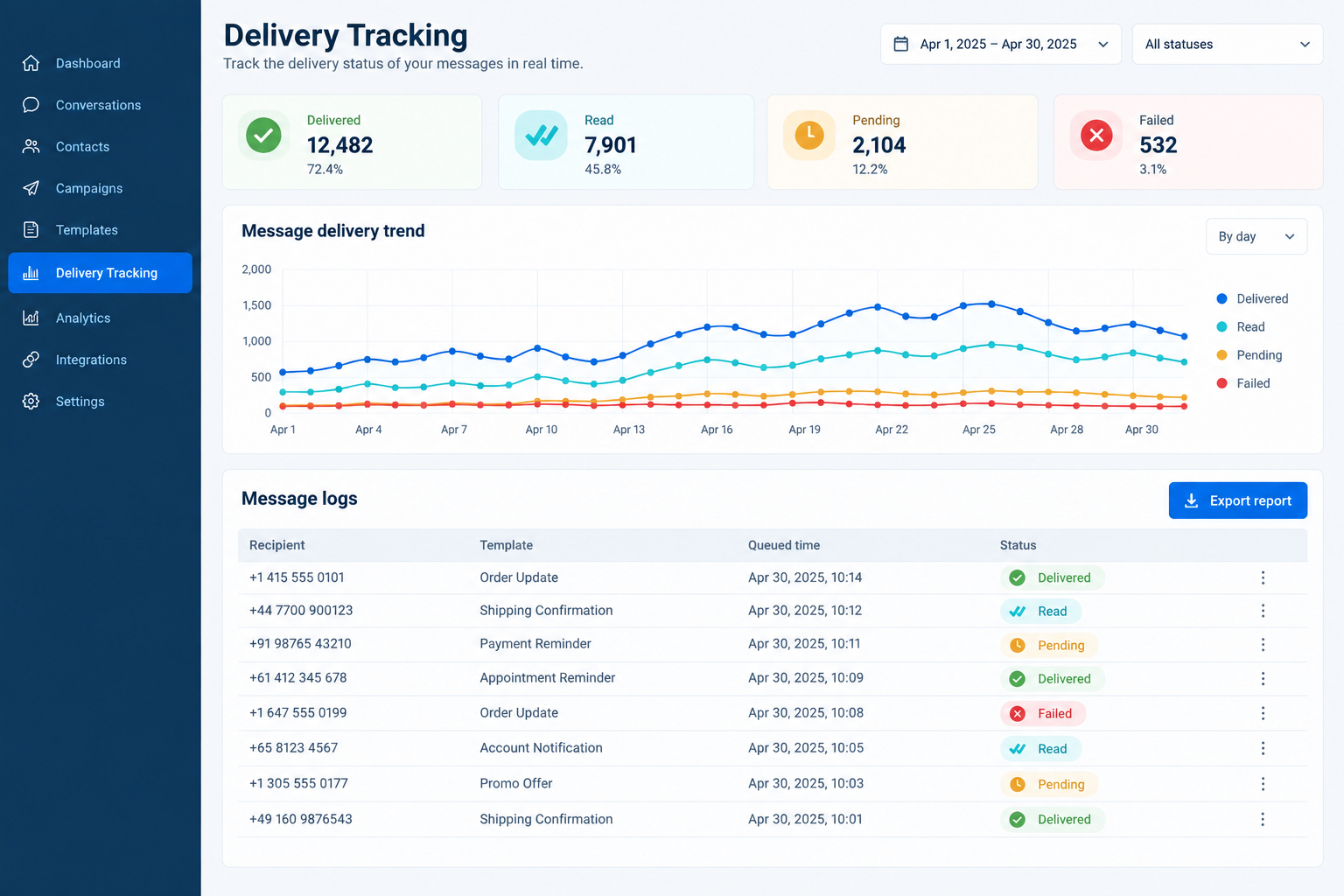
Review delivery status, logs and campaign activity from one operational dashboard.
Onto Connect supports responsible business communication. Messages must follow WhatsApp policies and customer opt-in requirements.
Business workflows
Each rollout starts with the operational messages your team already handles every week.
Problem: Patients miss reminders and staff spend time repeating routine updates.
Problem: Parents and students need timely information without repeated manual calls.
Problem: Member renewals, bookings and event updates become difficult to track.
Problem: Enquiries, order updates and customer follow-ups are handled inconsistently.
Business AI readiness
Onto Connect is being designed to support more intelligent customer workflows as eligible Meta and WhatsApp capabilities become available for each business account. The goal is practical automation: faster enquiry handling, guided responses, better routing and a clear path for human follow-up.
Help teams respond to routine customer questions more efficiently.
Support more consistent communication using approved business information.
Keep the team involved whenever a conversation needs personal attention.
Connect customer conversations with operational actions, reminders and follow-ups.
AI-assisted capabilities depend on business eligibility, Meta availability, account configuration and the enabled Onto Connect modules.
How Onto Connect works
Share your business workflow, expected communication volume and operational needs.
Complete the required WhatsApp Business API onboarding and account configuration.
Set up approved messages, audiences, schedules and business-specific follow-ups.
Start sending, review delivery activity and refine workflows as your business grows.
Platform features
Connect and configure business messaging operations.
Create, sync, preview, organise and manage approved templates.
Import contacts, organise groups and select the right audience.
Plan communication and schedule queue-based execution.
Review message status, logs and operational activity.
Provide controlled access for admins and operational users.
Connect CRM, ERP, billing, booking or notification workflows.
Track messaging activity and identify communication gaps.
Pricing
Start with the capabilities your team needs today and scale as your messaging volume, workflows and integrations grow.
₹499
₹5,988
/ month
For businesses starting structured WhatsApp communication.
One-time onboarding: ₹25,000
Best for announcements, reminders and basic customer communication.
Proceed to Payment
₹1,499
₹17,988
/ month
For businesses sending regular reminders, updates and campaigns.
One-time onboarding: ₹30,000
Best for clinics, education institutions, clubs and growing service businesses.
Proceed to Payment
₹2,999
₹35,988
/ month
For businesses connecting WhatsApp with daily operations.
One-time onboarding: ₹45,000
Best for businesses ready to connect WhatsApp with daily workflows.
Proceed to PaymentCustom pricing
Contact us for integrations and business-specific rollout requirements.
For larger operating requirements.
Talk to SalesYour Onto Connect subscription covers platform access, workflow tools, dashboards and support. WhatsApp messaging charges are separate and depend on the type and number of messages delivered.
All prices are exclusive of applicable taxes. WhatsApp and Meta policies apply.Book a demo
Share your current requirement. We will recommend the right rollout approach for your business.
FAQ
Clear answers about scope, reminders, campaigns, pricing and delivery.
Onto Connect is a WhatsApp Business API operations platform for businesses. It supports onboarding, approved templates, campaigns, reminders, audience management, scheduling and delivery tracking.
It is for businesses that regularly send reminders, follow-ups, service updates, campaign messages or operational notifications and need better team visibility.
No. Onto Connect supports approved WhatsApp communication for opted-in customers. All messaging must follow Meta and WhatsApp policies.
Yes. Contacts can be imported and organised so your team can choose the right audience for each message. Customer consent requirements still apply.
Yes. Integrations can be configured based on your requirement. Common examples include CRM, ERP, billing, booking and notification workflows.
No. Onto Connect subscription charges cover platform access and support. WhatsApp messaging charges are separate and depend on Meta pricing and usage.
No platform can guarantee delivery. Delivery depends on Meta policies, user conditions, message quality and other platform rules. Onto Connect helps you review status clearly.
Book a demo or submit your requirement. We will review your workflow and recommend the rollout approach.